When a machine starts, the Hub can open the right blast gates and start the dust collector for that zone. The rules run on site.
With GRIT Track®, the same Hub can check a badge before a machine starts and record who used it and for how long. If your facility restricts wireless hardware, specify a fully wired build with no radios.
What the Hub does
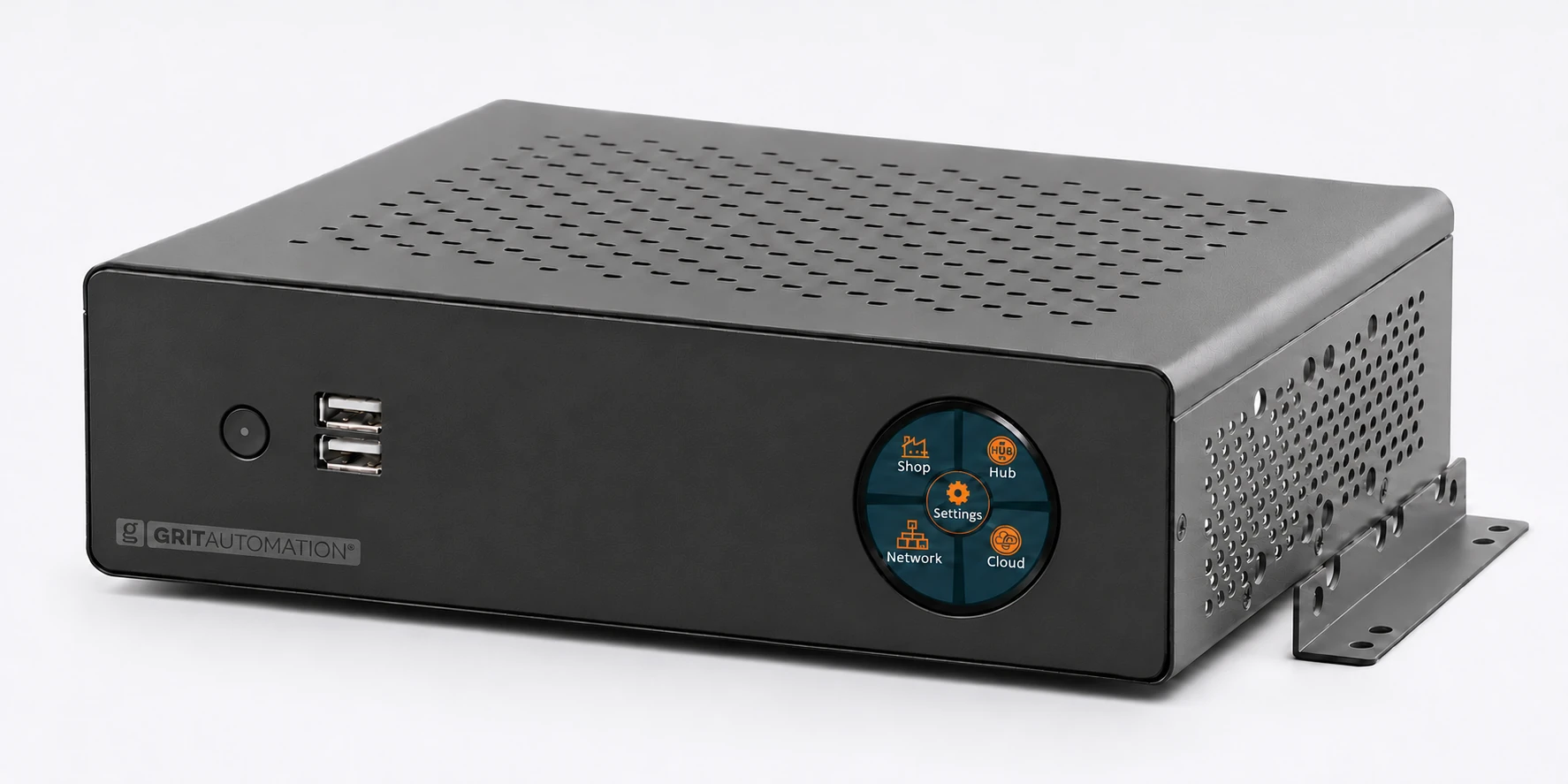
The Hub runs automation rules on site. The devices you connect determine what it can monitor, control, and record.
Coordinate equipment by zone
A GRIT Trigger can report when a machine starts. The Hub can use that event to open the assigned blast gates and start the collector serving that zone.
Manage operator access
With compatible GRIT Track readers and tool controls, use badge permissions to manage who can operate configured equipment.
Review equipment activity
Review recorded runtime and activity by machine. When a deployment captures operator identity, equipment activity can be associated with the operator.
Monitor facility conditions
Add compatible GRIT sensors to monitor conditions such as air quality or duct pressure from the same Hub.
Round touchscreen
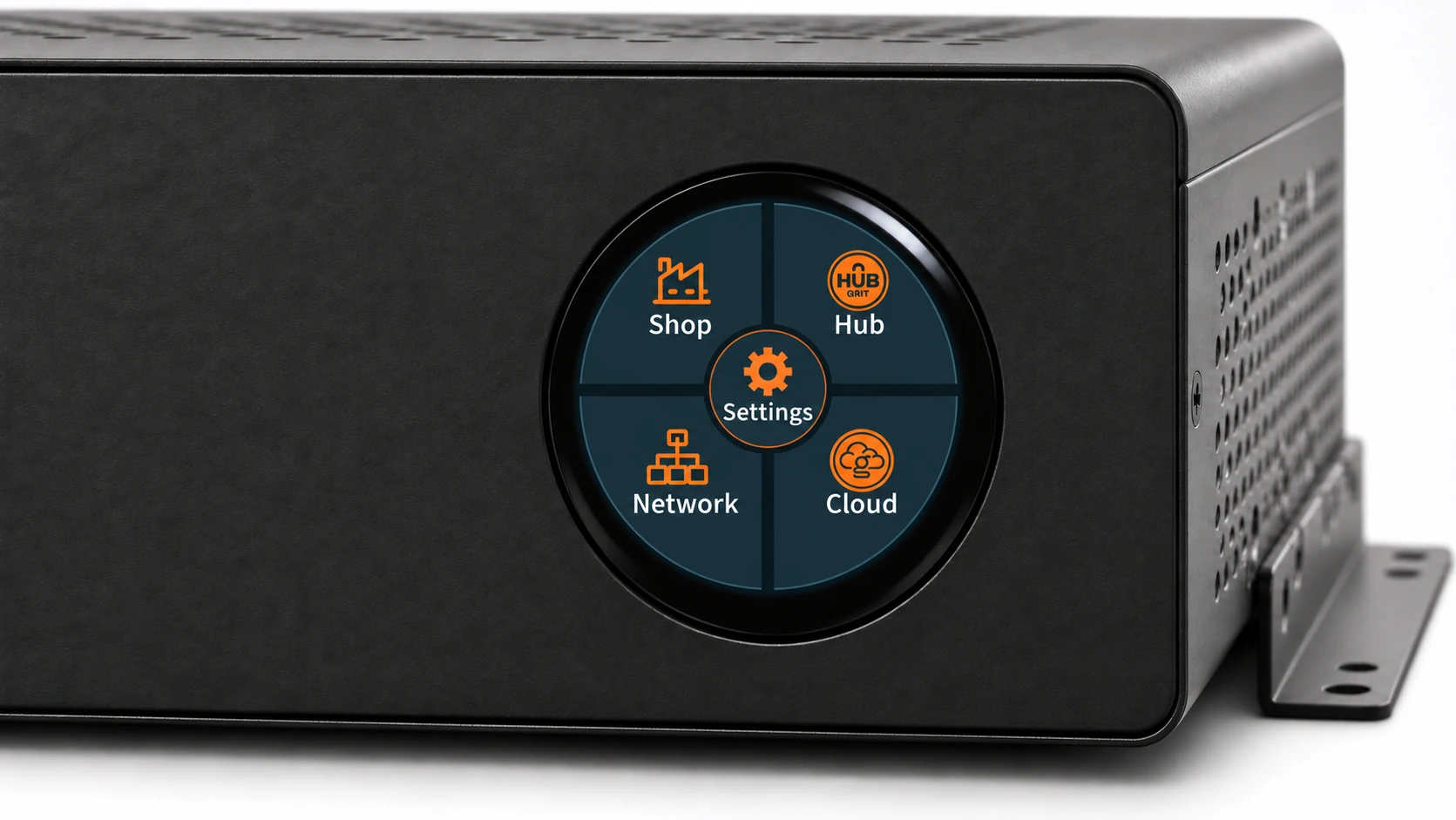
The 1.28-inch capacitive touchscreen concept gives operators a place to check the Hub and its network at the enclosure. The menu groups Shop, Hub, Network, and Cloud around a central Settings control.
Connectivity options
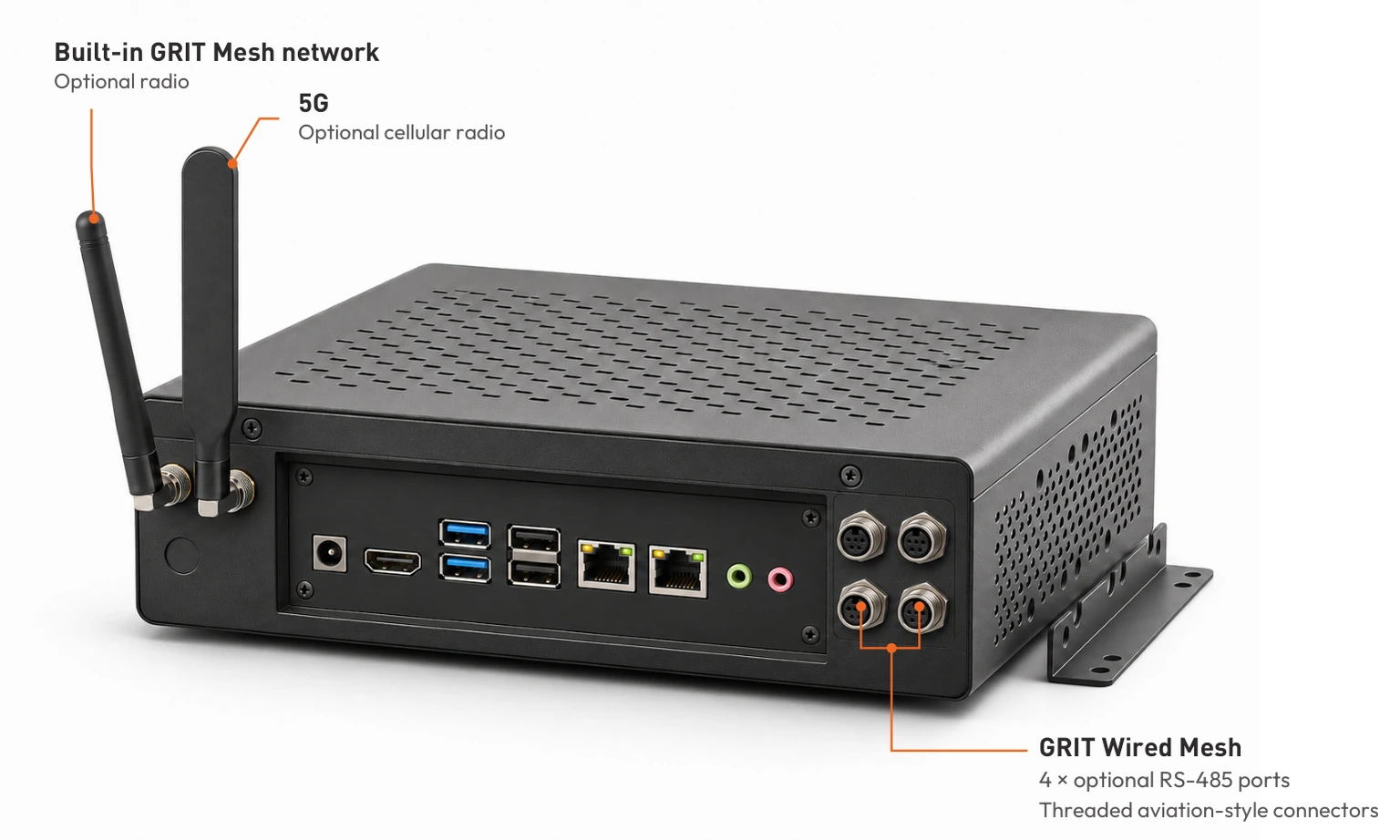
Fully wired. Specify a Hub without wireless RF components. Connect it to your facility over Ethernet and use GRIT Wired Mesh over optional RS-485 for compatible devices. The round display shown contains radio hardware. A radio-free build requires a display without a radio.
Optional radios. Ask GRIT about built-in GRIT Mesh and 5G cellular options where your site allows wireless hardware.
Across separate sites. Ask GRIT about connecting a remote Mesh Xtndr through GRIT Tunnel when the facility LAN doesn’t reach that location.
The proposed GRIT Wired Mesh panel has four RS-485 ports with circular aviation-style connectors and threaded locking collars.
Keep the Hub wired and put wireless at the equipment
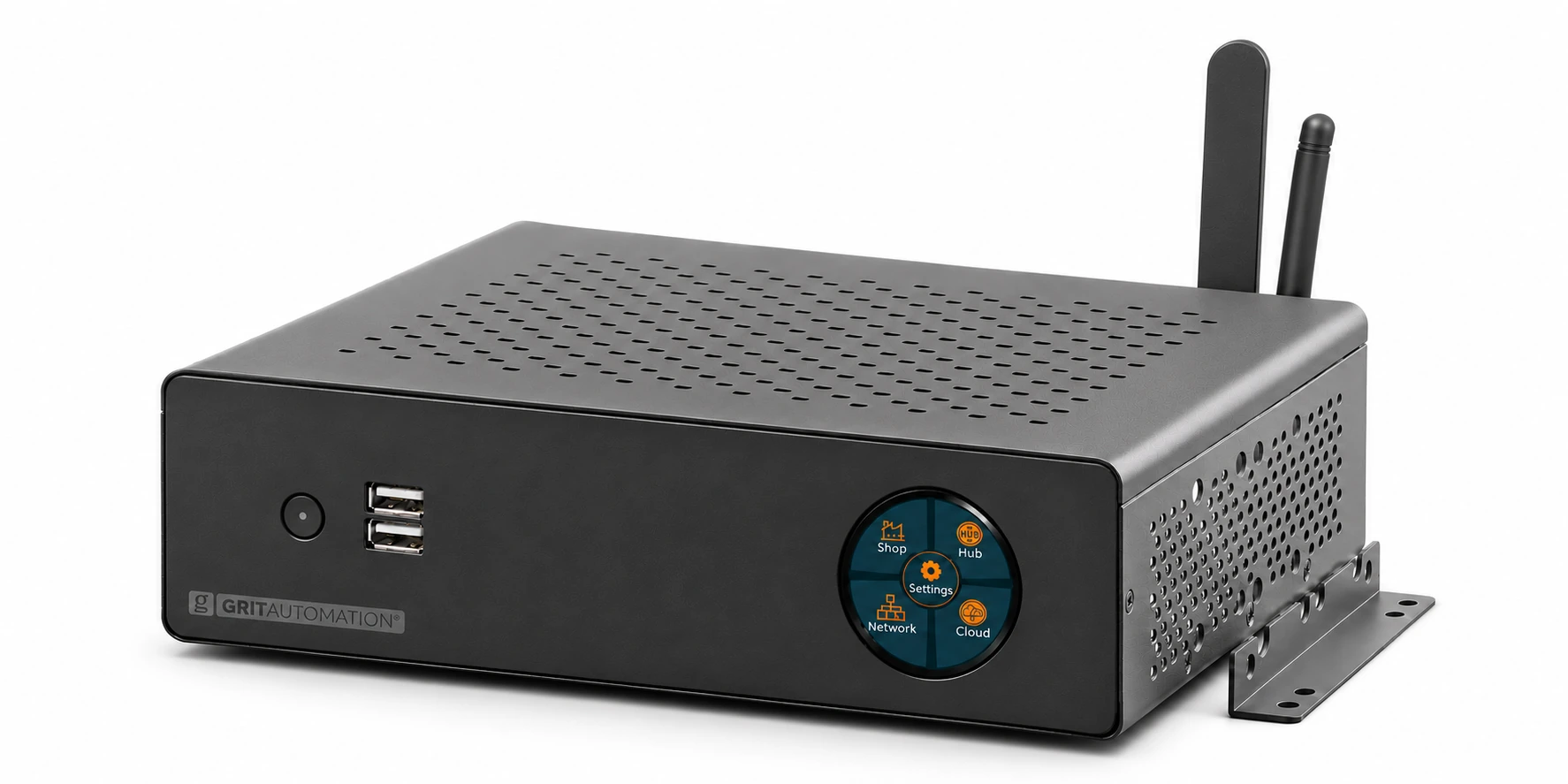
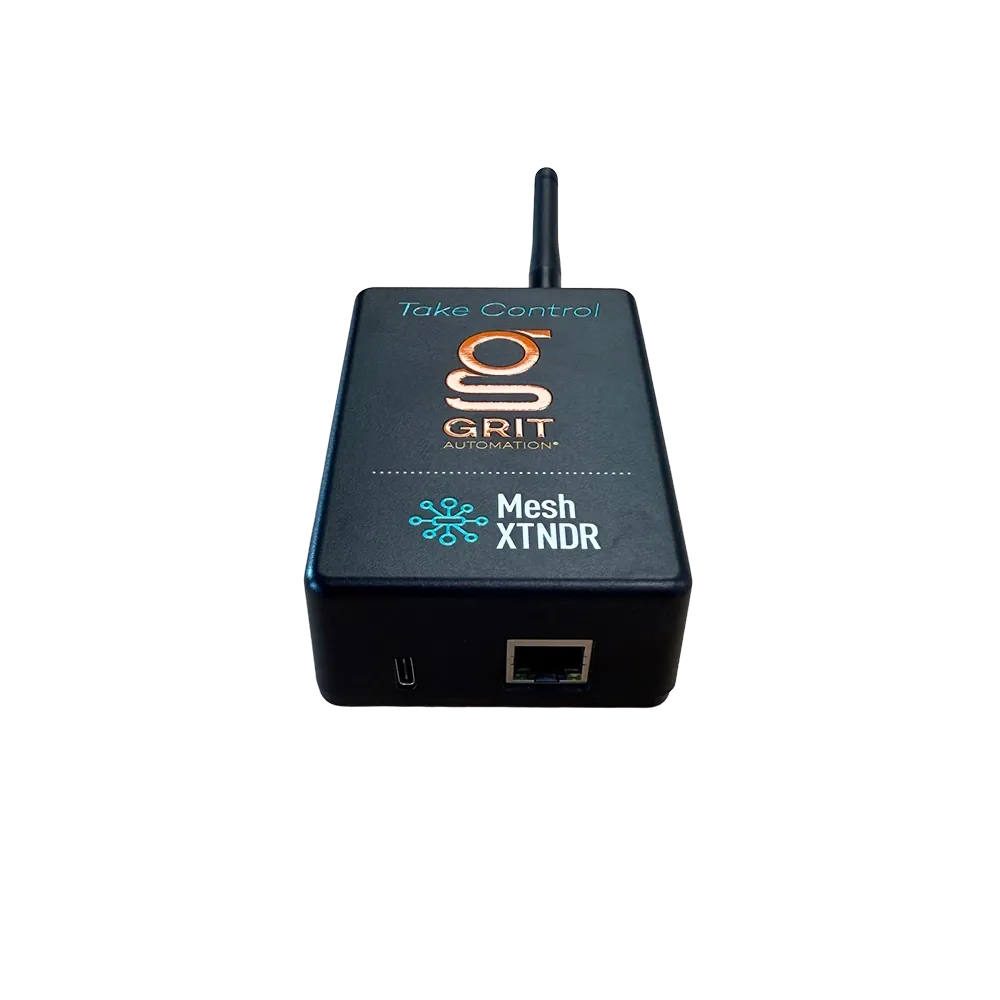
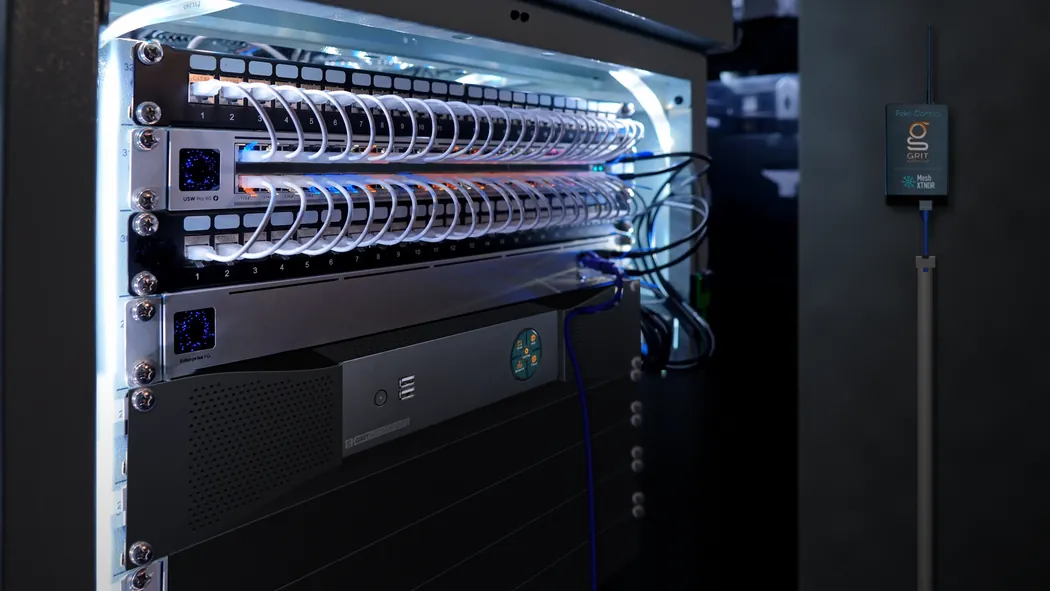
Connect the Industrial Hub and an Ethernet-capable GRIT Mesh Xtndr over the facility IP network. The Xtndr can serve nearby compatible GRIT devices from a location approved for radios.
Install in a server room or network closet
The 61.8 mm chassis exceeds the 44.45 mm height of 1U. The 2U installation concept uses purpose-built side extensions that bolt to the chassis and span to the rails of a 19-inch rack.
Allow depth for the 194.4 mm chassis, rear connectors, and cable bends. A 2U allocation leaves 27.1 mm of nominal height before mounting hardware and airflow allowances.
The rack extensions require fit and load verification. For a shelf installation, use a vented shelf and secure the Hub to it.
Specifications
- Processor
- Intel Celeron J6412, 4 cores, 2.00 GHz base and up to 2.60 GHz
- Memory
- 8 GB DDR4-3200
- Storage
- 128 GB M.2 SSD
- Enclosure dimensions
- 228.4 W × 194.4 D × 61.8 H mm (MX500 chassis)
- Wired networking
- Dual Ethernet ports
- GRIT Wired Mesh
- Proposed option with four RS-485 ports and threaded aviation-style connectors
- Touchscreen shown
- 1.28-inch capacitive display, 240 × 240
Product renders show the proposed touchscreen and connectivity options.
Run the shop floor from the rack.
When a machine starts, the Hub can open the right blast gates and start the dust collector for that zone. The rules run on site.
With GRIT Track®, the same Hub can check a badge before a machine starts and record who used it and for how long. If your facility restricts wireless hardware, specify a fully wired build with no radios.
What the Hub does
The Hub runs automation rules on site. The devices you connect determine what it can monitor, control, and record.
Coordinate equipment by zone
A GRIT Trigger can report when a machine starts. The Hub can use that event to open the assigned blast gates and start the collector serving that zone.
Manage operator access
With compatible GRIT Track readers and tool controls, use badge permissions to manage who can operate configured equipment.
Review equipment activity
Review recorded runtime and activity by machine. When a deployment captures operator identity, equipment activity can be associated with the operator.
Monitor facility conditions
Add compatible GRIT sensors to monitor conditions such as air quality or duct pressure from the same Hub.
Round touchscreen
The 1.28-inch capacitive touchscreen concept gives operators a place to check the Hub and its network at the enclosure. The menu groups Shop, Hub, Network, and Cloud around a central Settings control.
Connectivity options
Fully wired. Specify a Hub without wireless RF components. Connect it to your facility over Ethernet and use GRIT Wired Mesh over optional RS-485 for compatible devices. The round display shown contains radio hardware. A radio-free build requires a display without a radio.
Optional radios. Ask GRIT about built-in GRIT Mesh and 5G cellular options where your site allows wireless hardware.
Across separate sites. Ask GRIT about connecting a remote Mesh Xtndr through GRIT Tunnel when the facility LAN doesn’t reach that location.
The proposed GRIT Wired Mesh panel has four RS-485 ports with circular aviation-style connectors and threaded locking collars.
Keep the Hub wired and put wireless at the equipment
Connect the Industrial Hub and an Ethernet-capable GRIT Mesh Xtndr over the facility IP network. The Xtndr can serve nearby compatible GRIT devices from a location approved for radios.
Install in a server room or network closet
The 61.8 mm chassis exceeds the 44.45 mm height of 1U. The 2U installation concept uses purpose-built side extensions that bolt to the chassis and span to the rails of a 19-inch rack.
Allow depth for the 194.4 mm chassis, rear connectors, and cable bends. A 2U allocation leaves 27.1 mm of nominal height before mounting hardware and airflow allowances.
The rack extensions require fit and load verification. For a shelf installation, use a vented shelf and secure the Hub to it.
Specifications
- Processor
- Intel Celeron J6412, 4 cores, 2.00 GHz base and up to 2.60 GHz
- Memory
- 8 GB DDR4-3200
- Storage
- 128 GB M.2 SSD
- Enclosure dimensions
- 228.4 W × 194.4 D × 61.8 H mm (MX500 chassis)
- Wired networking
- Dual Ethernet ports
- GRIT Wired Mesh
- Proposed option with four RS-485 ports and threaded aviation-style connectors
- Touchscreen shown
- 1.28-inch capacitive display, 240 × 240
Product renders show the proposed touchscreen and connectivity options.