Automatic blast gates open the right airflow path when a tool starts.
GRIT automatic blast gates use a bolt-on Gate Control for compatible metal gates, opening the mapped airflow path when a tool starts. Keep the gates and ductwork already in your shop, then coordinate them from the local GRIT Hub.
Manual gates make airflow another job to remember.
Every tool change creates a sequence: close the old path, open the new one, start the collector, and then begin the cut. Miss one step, and available suction is divided across the wrong branches.
The wrong gate stays open
An unused branch can pull airflow away from the machine producing dust. The collector is running, but the path is not matched to the work.
The right gate stays closed
Starting a tool before opening its gate leaves collection behind the operation. Automation ties the gate response to actual tool demand.
Operators walk the ductwork
A gate at the other end of the shop adds time to every changeover. The larger the shop, the easier that step is to skip.
Existing hardware gets written off
Many shops assume automation means replacing every gate. Compatible free-sliding metal gates can stay in service with a bolt-on actuator.
Tool detection. Gate actuation. One mapped response.
A GRIT Trigger detects that a tool is running and reports demand to the GRIT Hub. The Hub opens the assigned GRIT Gate Controls, commands the compatible collector, and closes the gates after the configured tool-off delay.
Detect demand
Match the Trigger to the tool.
Plug-in, hardwired, E-Stop, USB, laser, and manual Switch options let the Hub recognize demand from different equipment types.
Move the gate
Bolt a GRIT Gate Control onto a compatible gate.
The actuator mounts to a free-sliding metal blast gate. The gate body and duct connection remain in place.
Map the response
Assign tools to gates in the local Hub.
One tool can open one gate or a defined group. The automation rules and operating history remain on the shop network.
Control collection
Use the command path the collector supports.
GRIT Collector options support compatible direct switching, magnetic starters, iR/RF remotes, and VFDs over MODBUS.
How automatic blast gates work with GRIT.
The matched GRIT Trigger detects current draw or another configured run signal.
The local GRIT Hub identifies the gates and collector response assigned to that tool.
The mapped GRIT Gate Controls move their compatible gates into the open position.
The compatible collector starts or receives the configured VFD demand command.
The operator uses the tool without walking the duct network or changing gates by hand.
After tool-off, the configured delay lets the line clear before gates close and the collector returns to its resting state.
Start with the gate you already have.
A retrofit begins with the gate slide, size, location, and available power. GRIT reviews those details before specifying Gate Controls.
Good retrofit candidates
- Compatible metal blast gates
- Free-sliding gate movement
- Supported 2.5- through 12-inch size family
- Accessible mounting area
- Low-voltage power available or planned
Review before ordering
- Plastic gate bodies
- Built-in locks or heavy slide resistance
- Damaged or misaligned gates
- Nonstandard geometry
- Locations exposed to conditions outside the product rating
Existing iVac installation?
GRIT offers an iVac Retrofit Gate Control for compatible existing iVac gates. Watch the product walkthrough and read the transcript →
Built for airflow. Built to retrofit.
Flexible gate mapping
Map one tool to one gate or to a defined group when a machine has multiple dust ports or a process needs several collection points.
Shared collector response
Coordinate gate position with a compatible collector instead of treating gate actuation and collector control as separate systems.
Expandable local control
Start with the highest-use machines, then add compatible Gate Controls and Triggers. The rules remain on the local GRIT Hub.
Recorded operating events
Keep gate and collector activity with the broader dust-management record for troubleshooting and shop review.
Keep the gate. Add the response.
GRIT does not ask you to replace compatible dust collectors, ductwork, or metal blast gates. The existing airflow system stays. GRIT adds tool detection, bolt-on gate actuation, collector control, and a local Hub that coordinates the sequence.
That is what GRITified means: your existing dust collection infrastructure, made automatic, made measurable, made easier to operate without starting over.
What to know before automating blast gates.
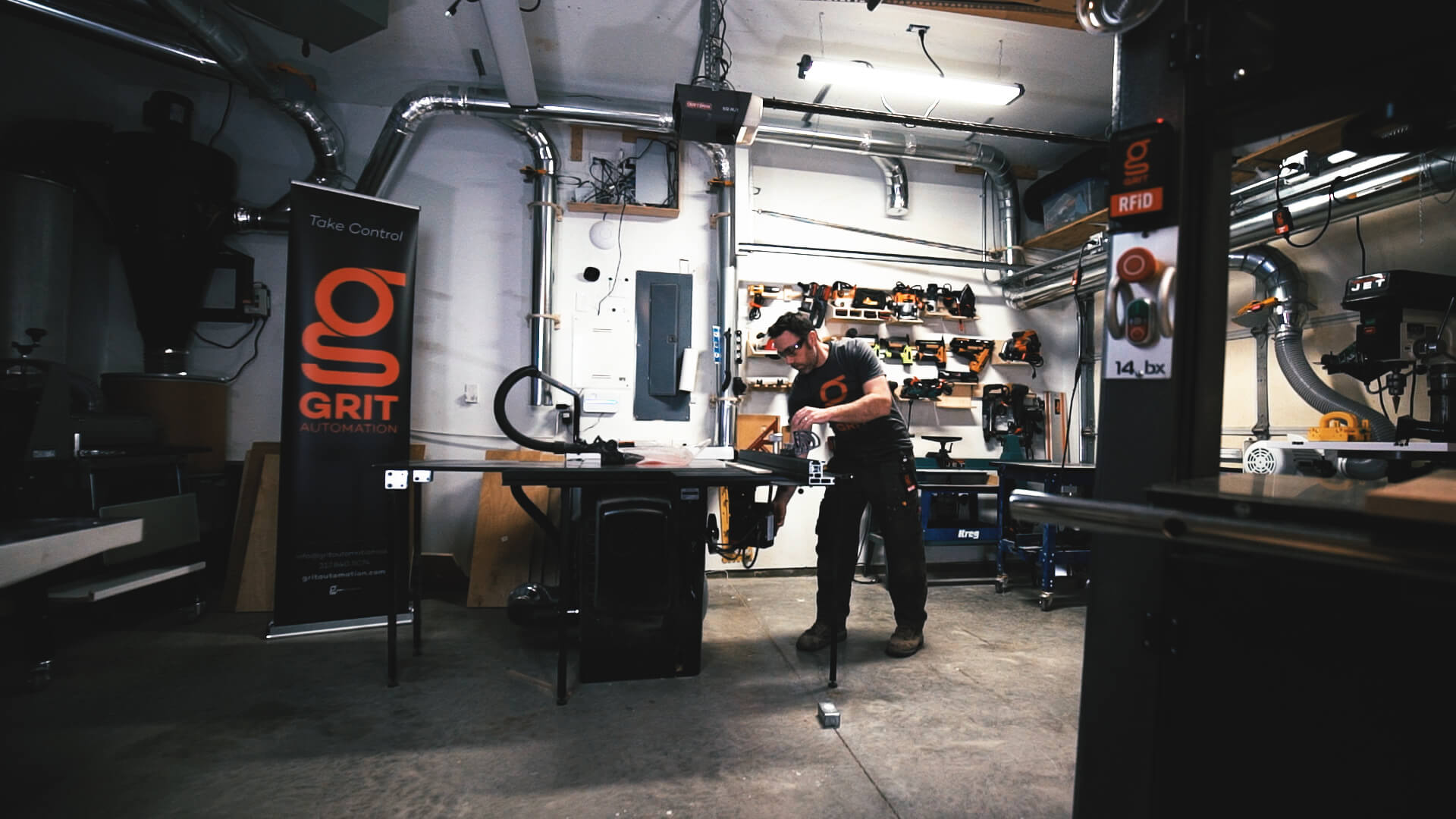

Get started
Ready to automate your blast gates?
Bring gate photos, sizes, tool details, and the collector model. GRIT will map the compatible hardware path.
Automatic blast gates open the right airflow path when a tool starts.
GRIT automatic blast gates use a bolt-on Gate Control for compatible metal gates, opening the mapped airflow path when a tool starts. Keep the gates and ductwork already in your shop, then coordinate them from the local GRIT Hub.
Manual gates make airflow another job to remember.
Every tool change creates a sequence: close the old path, open the new one, start the collector, and then begin the cut. Miss one step, and available suction is divided across the wrong branches.
The wrong gate stays open
An unused branch can pull airflow away from the machine producing dust. The collector is running, but the path is not matched to the work.
The right gate stays closed
Starting a tool before opening its gate leaves collection behind the operation. Automation ties the gate response to actual tool demand.
Operators walk the ductwork
A gate at the other end of the shop adds time to every changeover. The larger the shop, the easier that step is to skip.
Existing hardware gets written off
Many shops assume automation means replacing every gate. Compatible free-sliding metal gates can stay in service with a bolt-on actuator.
Tool detection. Gate actuation. One mapped response.
A GRIT Trigger detects that a tool is running and reports demand to the GRIT Hub. The Hub opens the assigned GRIT Gate Controls, commands the compatible collector, and closes the gates after the configured tool-off delay.
Detect demand
Match the Trigger to the tool.
Plug-in, hardwired, E-Stop, USB, laser, and manual Switch options let the Hub recognize demand from different equipment types.
Move the gate
Bolt a GRIT Gate Control onto a compatible gate.
The actuator mounts to a free-sliding metal blast gate. The gate body and duct connection remain in place.
Map the response
Assign tools to gates in the local Hub.
One tool can open one gate or a defined group. The automation rules and operating history remain on the shop network.
Control collection
Use the command path the collector supports.
GRIT Collector options support compatible direct switching, magnetic starters, iR/RF remotes, and VFDs over MODBUS.
How automatic blast gates work with GRIT.
The matched GRIT Trigger detects current draw or another configured run signal.
The local GRIT Hub identifies the gates and collector response assigned to that tool.
The mapped GRIT Gate Controls move their compatible gates into the open position.
The compatible collector starts or receives the configured VFD demand command.
The operator uses the tool without walking the duct network or changing gates by hand.
After tool-off, the configured delay lets the line clear before gates close and the collector returns to its resting state.
Start with the gate you already have.
A retrofit begins with the gate slide, size, location, and available power. GRIT reviews those details before specifying Gate Controls.
Good retrofit candidates
- Compatible metal blast gates
- Free-sliding gate movement
- Supported 2.5- through 12-inch size family
- Accessible mounting area
- Low-voltage power available or planned
Review before ordering
- Plastic gate bodies
- Built-in locks or heavy slide resistance
- Damaged or misaligned gates
- Nonstandard geometry
- Locations exposed to conditions outside the product rating
Existing iVac installation?
GRIT offers an iVac Retrofit Gate Control for compatible existing iVac gates. Watch the product walkthrough and read the transcript →
Built for airflow. Built to retrofit.
Flexible gate mapping
Map one tool to one gate or to a defined group when a machine has multiple dust ports or a process needs several collection points.
Shared collector response
Coordinate gate position with a compatible collector instead of treating gate actuation and collector control as separate systems.
Expandable local control
Start with the highest-use machines, then add compatible Gate Controls and Triggers. The rules remain on the local GRIT Hub.
Recorded operating events
Keep gate and collector activity with the broader dust-management record for troubleshooting and shop review.
Keep the gate. Add the response.
GRIT does not ask you to replace compatible dust collectors, ductwork, or metal blast gates. The existing airflow system stays. GRIT adds tool detection, bolt-on gate actuation, collector control, and a local Hub that coordinates the sequence.
That is what GRITified means: your existing dust collection infrastructure, made automatic, made measurable, made easier to operate without starting over.
What to know before automating blast gates.
Get started
Ready to automate your blast gates?
Bring gate photos, sizes, tool details, and the collector model. GRIT will map the compatible hardware path.